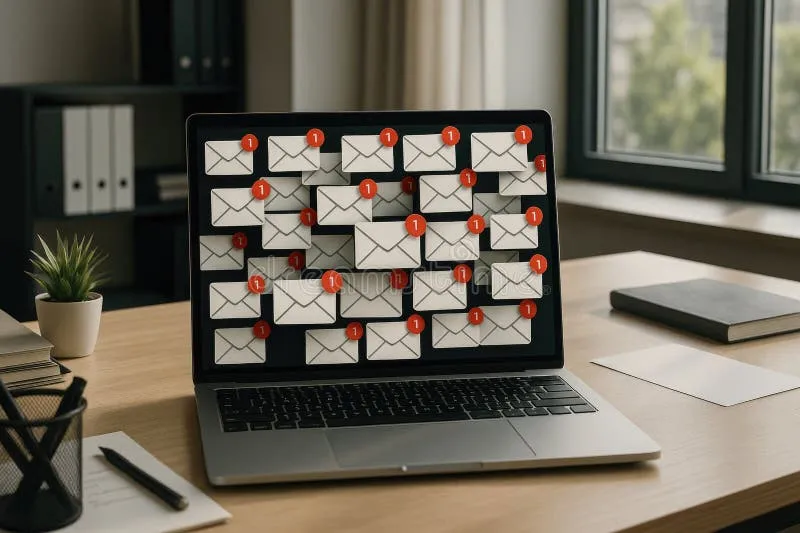
Ghost Accounts Are Haunting You: How to Finally Audit Your Digital Footprint

Photo: JJ Ying jjying, CC0, via Wikimedia Commons
Somewhere out there, a version of you is still signed up for a meal kit delivery service you tried once in 2019. Another version is a registered member of a forum for a hobby you abandoned after three weeks. And yet another ghost of your digital past has an account on a photo-sharing app that got acquired, rebranded, and quietly breached — twice.
These aren't hypotheticals. For most Americans, this is just Tuesday.
The average person has well over 100 online accounts, and a significant chunk of those are completely forgotten. But "forgotten" doesn't mean "gone." Every one of those dormant profiles is still sitting on a server somewhere, holding your name, your email address, maybe a password you've reused elsewhere, and potentially a lot more. That's not a graveyard. That's a liability.
Let's talk about how to dig it all up — and what to do once you do.
Why Dormant Accounts Are a Bigger Problem Than You Think
It's tempting to think that an account you haven't logged into in four years is basically harmless. Out of sight, out of mind, right? Not quite.
Here's the thing: companies get breached all the time. When a service you signed up for back in 2016 gets hacked in 2024, your old credentials — including your primary email address — can end up in a database being traded on dark web forums. You won't get a notification. You probably won't even remember you had an account. But the damage is real.
Beyond breaches, there's the data broker angle. Many of these platforms sell or share user data as part of their business model. Even if you've stopped using a service, the profile they built on you doesn't disappear. It keeps getting packaged and sold to advertisers, marketers, and anyone else willing to pay for it.
And then there's the purely practical problem: old accounts often mean old passwords. If you reused that password anywhere, you've got a chain of vulnerability stretching across your entire digital life.
Step One: Mine Your Inbox for Clues
Your email inbox is basically a receipt drawer for your entire online history. Start there.
Search your primary inbox for phrases like "welcome to," "confirm your email," "verify your account," and "thanks for signing up." You'll be amazed — and probably a little horrified — by what comes up. Screenshot or document every service you find. Don't delete anything yet; you'll need those emails to track down login info.
Also search for "your free trial," "subscription confirmation," and "invoice" to catch services you might actually be paying for without realizing it. Yes, that happens more than you'd think.
Step Two: Check What's Connected to Your Google or Apple Account
If you've ever used "Sign in with Google" or "Sign in with Apple," there's a separate trail to follow.
For Google: go to your Google Account settings, then Security, then "Third-party apps with account access." You'll see every app or service that's been granted access to your account. Revoke anything you don't recognize or actively use.
For Apple: head to Settings, tap your name, then Password & Security, and look for "Apps Using Apple ID." Same deal — review and revoke as needed.
This step catches a ton of accounts that wouldn't show up in an email search because you never had to confirm anything; you just clicked a button and were in.
Step Three: Use a Password Manager to Map the Full Territory
If you use a password manager — and you should — it's already keeping a list of every site where you've saved credentials. Export that list (most managers have this option) and go through it systematically. Flag everything you don't recognize or haven't touched in over a year.
No password manager? This is also a good time to start using one. Going forward, it'll make audits like this infinitely easier.
Step Four: Prioritize, Then Purge
Once you have your full list, sort accounts into three buckets:
Keep and secure — services you actively use and want to maintain. Update the password, enable two-factor authentication, and make sure the contact info is current.
Delete immediately — services you have zero intention of ever using again. Find the account deletion option (JustDeleteMe.com is a great resource for tracking down how hard or easy it is to delete specific accounts), and pull the trigger.
Migrate and replace — services you might want to keep using, but that are currently tied to your primary email address when they don't need to be.
That third category is where disposable email addresses become genuinely useful.
Using Disposable Emails as a Buffer During Cleanup
Here's a smart move that most guides skip: when you're migrating lower-priority accounts away from your primary email, don't just swap in another permanent address. Use a disposable or temporary email address as a transition layer.
The logic is straightforward. You need to update the email on an account to regain access, confirm a deletion, or receive a final data export — but you don't want to hand over your real address again. A temporary address from a service like FakeMail Online lets you handle that interaction without adding another thread to your permanent digital identity.
For accounts you're deleting, this is especially clean: use a temporary address to receive the deletion confirmation, then let that address expire. No new spam pipeline, no new data point attached to your real identity. Done.
For accounts you're keeping but want to insulate from your primary inbox, consider assigning them a dedicated alias or a separate email address entirely. Your main address should be reserved for things that actually matter — not every random service you've ever tried.
Step Five: Build Better Habits Going Forward
An audit only helps if you stop creating the same problem again. A few simple habits make a huge difference:
- Default to disposable for new signups. Anytime you're creating an account for something you're not sure about — a free trial, a one-time download, a site you stumbled across — use a temporary address instead of your real one.
- Keep a running log. When you do create new accounts, note them somewhere. A simple spreadsheet works fine. Future-you will be grateful.
- Set a recurring reminder. Do a mini-audit every six months. It takes way less time once you've done the big initial cleanup.
The Payoff Is Real
This kind of digital housekeeping isn't glamorous, but the payoff is concrete. Fewer breach exposures. Less spam. A smaller attack surface for anyone trying to piece together your online identity. And the surprisingly satisfying feeling of knowing exactly what's out there with your name on it.
Your primary email address is one of the most valuable pieces of personal data you own. Treat it like it. The ghost accounts scattered across the internet are only haunting you because you haven't gone looking for them yet. Time to change that.