Fake Email, Real Strategy: Exactly When to Use a Disposable Address (And When Not To)

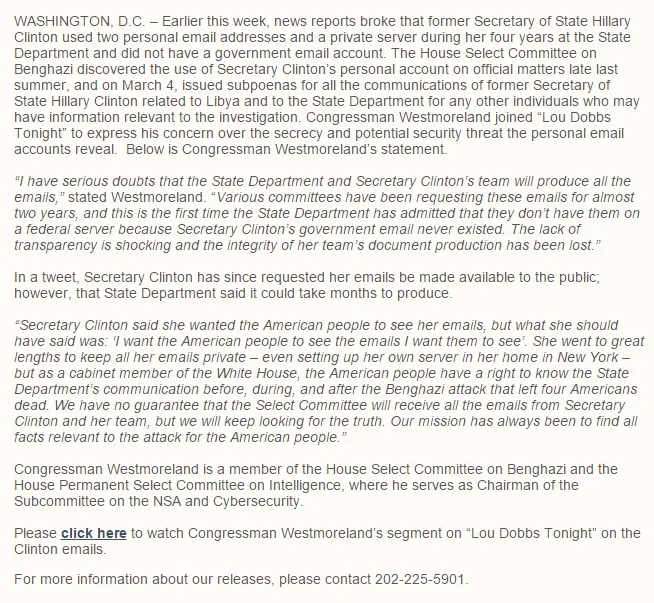
Photo: Dennis Sylvester Hurd, Public domain, via Wikimedia Commons
Disposable emails are one of those tools that sound almost too simple. Generate a fake address, use it for a signup, move on with your life. But like any tool, they work best when you actually know what you're using them for — and when you're reaching for the wrong one.
Some situations are practically made for a throwaway inbox. Others? Using a fake address could leave you frustrated, locked out, or worse. Let's walk through the real-world scenarios where this decision actually matters.
✅ Dating Apps: Absolutely Use a Fake Email
Online dating is one of the strongest use cases for a disposable address, full stop.
Here's the thing about dating platforms — they're designed to collect as much data about you as possible. Your preferences, your activity patterns, your location history, who you matched with, who you ghosted. That data has value, and many platforms aren't shy about monetizing it.
Beyond the platform itself, there's the other users to think about. Most dating apps don't expose your email directly, but data breaches happen. Match Group, which owns Tinder, Hinge, OkCupid, and several others, has had security incidents over the years. If your real email is in their database and that database gets leaked, you've just handed strangers a direct line to your primary inbox.
Using a disposable address to create your dating profile costs you nothing. If things go sideways with a match who turns creepy, or you decide to delete your account entirely, there's no real-world identifier tied to that profile.
Potential drawback: If you lose access to the disposable email before verifying your account, you might hit a wall. Set up the account fully before the temp inbox expires.
✅ Newsletter Signups and Promo Codes: Easy Win
Every retail website in America wants your email address. Sometimes the offer is genuinely useful — 15% off your first order, early access to a sale, a free shipping code. But that signup is also the beginning of a relationship you may not want long-term.
A disposable email is perfect here. Grab the promo code, use it at checkout, and never deal with that brand's marketing emails again. Your real inbox stays clean. Their list gets a dead-end address.
This also applies to content downloads — the white papers, guides, templates, and webinars that require an email to access. You want the content, not the follow-up drip campaign. A fake email handles that trade-off cleanly.
✅ Sketchy Download Sites and Free Tool Trials
You found a free utility online. It requires an email to download. The site looks... fine? Probably? But you're not sure you trust it.
This is exactly the situation disposable emails were built for. If the site is legitimate, you get your download confirmation and move on. If it turns out to be a spam factory or worse, your real identity is never in the picture.
Same logic applies to free software trials where you're not sure you'll ever use the product again. SaaS companies are notorious for aggressive email follow-up sequences once they have your address. Give them a throwaway and skip the hassle.
✅ Job Sites and Freelance Marketplaces (With One Caveat)
This one's a little more nuanced. Platforms like Fiverr, Upwork, or even general job boards collect a lot of data and, in many cases, sell or share it with third parties. If you're just browsing or testing the platform, a disposable email makes sense for the initial signup.
But here's the caveat: if you're actually going to use the platform seriously — landing clients, building a reputation, getting paid — you'll eventually need a real, recoverable email tied to your account. Losing access to a Upwork account with reviews and earnings history because your throwaway inbox expired is a genuinely painful outcome.
The smart move: use a disposable email to explore the platform, then update your account to a real address once you've decided it's worth your time.
✅ Forum Registrations and One-Time Communities
You need to post one question on a niche forum. You want to read a comment thread that requires an account. You're joining a subreddit-style community for something you'll probably forget about in three weeks.
None of these situations need your real email. A temp address gets you past the registration gate, and you never have to think about it again.
❌ Banking and Financial Services: Never
This one should be obvious, but it's worth stating clearly. Your bank, credit union, brokerage, or any financial platform needs a real, permanent email address you actually control. Account recovery, fraud alerts, statement notifications — these are not the places to experiment with disposable inboxes.
If you ever get locked out of your account and the recovery email is a long-expired temp address, you're looking at a serious headache and potentially a lengthy identity verification process.
❌ Healthcare and Government Portals
Same principle applies to MyChart, your insurance portal, Social Security account, IRS access, or any state government service. These platforms send critical communications — appointment reminders, prescription notifications, tax documents. Losing access to that email means losing access to information that actually matters.
❌ Anything You'll Need to Log Back Into Later
This is the general rule that covers everything else: if there's any chance you'll need to recover the account, reset a password, or receive important notifications down the road, use a real email.
Disposable addresses are built for transactions, not relationships. The moment an account becomes something you depend on, it needs a permanent inbox behind it.
The Bottom Line
Think of your real email address like your home address. You'd give it to your bank, your doctor, your close friends. You wouldn't hand it to every pop-up that asks for it at a trade show.
A disposable email is the P.O. box you use for everything else — the signups, the trials, the one-time downloads, the platforms you're not sure you trust. It keeps the noise away from the signal.
The trick is just knowing which category you're dealing with before you type anything in. Most of the time, that's a pretty easy call.