Privacy Tools Compared: When to Use a Fake Email, a VPN, or a Password Manager
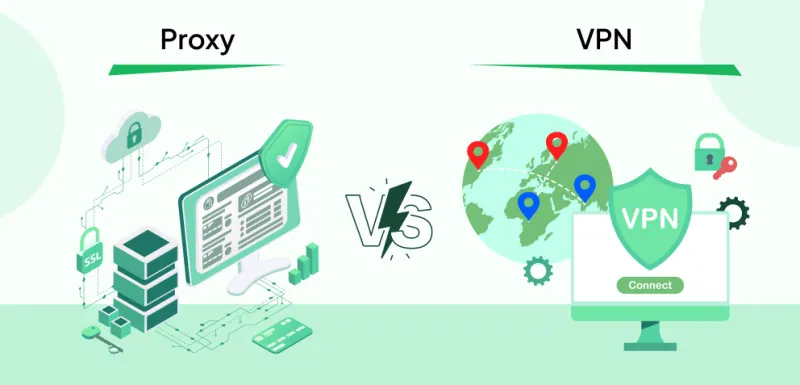
Photo: privacy tools comparison VPN password security digital protection concept, via avpsuite.com
Everyone's got a cousin who swears by their VPN. There's probably an ad for a password manager in your podcast feed right now. And if you're reading this, you've clearly at least heard that disposable emails are a thing. But here's the honest question nobody's asking: do you actually know what each of these tools does — and more importantly, what it doesn't do?
Because using a VPN to protect yourself from spam is like wearing a raincoat to fix a leaky faucet. Technically you're doing something. It's just not the right something.
Let's cut through the marketing noise and get practical.
First, A Quick Reality Check
No single privacy tool protects you from everything. Anyone telling you otherwise is selling something. Real digital privacy is about layering the right defenses for the right threats — and knowing the difference between those threats is half the battle.
Here's a plain-English breakdown of what each tool actually does:
- VPN (Virtual Private Network): Encrypts your internet traffic and masks your IP address from websites and your ISP.
- Password Manager: Generates and stores strong, unique passwords so you're not reusing the same credentials everywhere.
- Disposable Email: Gives you a temporary, anonymous email address so your real inbox and identity stay out of the picture.
Different problems. Different solutions. Let's look at when each one actually matters.
Scenario 1: Signing Up for a Free Trial
Best tool: Disposable email — by a mile.
You want to try a new app, streaming service, or SaaS tool for free. They want your email address. Here's what happens next if you hand over your real one: it gets added to their marketing list, possibly shared with partners, and if the company ever gets acquired or breached, your address travels with it.
A VPN does nothing here. The site still gets your email. A password manager helps you log in securely later, but it doesn't prevent your contact info from being collected.
A disposable address from FakeMail Online? You get the confirmation email, you access the trial, and the moment it's over — or the moment they start spamming you — that address is gone. Your real inbox never sees a single promotional email from them.
Winner: Disposable email
Scenario 2: Using Public Wi-Fi at a Coffee Shop
Best tool: VPN — no contest.
Unsecured public networks are a legitimate risk. Someone on the same network can potentially intercept unencrypted traffic, and your IP address is visible to every site you visit. A VPN encrypts that connection and masks your location.
A disposable email and a password manager don't do anything about network-level threats. They're not designed to.
That said, it's worth noting that HTTPS encryption has made public Wi-Fi considerably safer than it was five years ago. But if you're accessing anything sensitive — banking, work accounts, anything with personal data — a VPN on public Wi-Fi is absolutely the right call.
Winner: VPN
Scenario 3: Creating an Account on a Dating App
Best tool: Disposable email, with a password manager assist.
Dating apps are a privacy minefield. Many have been breached — the 2021 MeetMindful hack exposed data on 2.28 million users, including email addresses. The 2015 Ashley Madison breach is still haunting people a decade later. These platforms collect deeply personal information, and their security track records are... mixed.
Using a disposable address means your real identity isn't directly tied to your profile. If the platform gets compromised, the leaked email leads nowhere. Combine that with a password manager generating a unique, strong password for that account, and you've meaningfully reduced your exposure.
A VPN adds some protection here too — particularly if you're concerned about the app logging your IP address — but it's a secondary concern compared to the email and password angle.
Winner: Disposable email + password manager
Scenario 4: Online Shopping at a Store You've Never Used Before
Best tool: Disposable email, plus smart password habits.
You found a great deal on a niche e-commerce site. Maybe it's legit, maybe it's not. Either way, do you really want to give them your real email address and create an account with your usual password?
A disposable address handles the registration. You get the order confirmation, the shipping updates, and that's it — no ongoing marketing relationship, no long-term exposure if they turn out to be sketchy. If you do create an account, your password manager should be generating something unique that you've never used elsewhere.
A VPN is less relevant here unless you're specifically concerned about the retailer logging your location or your ISP tracking your shopping habits.
Winner: Disposable email + password manager
Scenario 5: Protecting Yourself From Your Internet Provider
Best tool: VPN.
Your ISP can see everything you do online — every site you visit, when you visit it, how long you stay. In the US, ISPs are legally allowed to sell anonymized browsing data to advertisers. If that bothers you (it probably should), a VPN prevents your provider from seeing your traffic.
This is one of the clearest, most legitimate use cases for a VPN, and neither disposable emails nor password managers touch it.
Winner: VPN
Scenario 6: A Data Breach Hits a Site You Use
Best tool: Password manager, with disposable email as prevention.
If a site you have an account with gets breached, two things are at risk: your email address and your password. A password manager means that even if that password is exposed, it doesn't work anywhere else — because you used a unique one. That's credential stuffing stopped cold.
If you'd used a disposable email for that account, the exposed address is also a dead end — no real identity attached, no connection to your other accounts.
A VPN doesn't help here. The breach already happened on the company's servers.
Winner: Password manager + disposable email (as prevention)
So How Do You Actually Layer These Things?
Here's a simple framework:
| Situation | Disposable Email | VPN | Password Manager |
|---|---|---|---|
| Free trial signup | ✅ Essential | ❌ Not needed | ✅ Helpful |
| Public Wi-Fi | ❌ Not relevant | ✅ Essential | ❌ Not relevant |
| Dating app | ✅ Essential | ⚠️ Optional | ✅ Essential |
| New online store | ✅ Essential | ❌ Not needed | ✅ Essential |
| Protecting from ISP | ❌ Not relevant | ✅ Essential | ❌ Not relevant |
| Breach damage control | ✅ Prevention | ❌ Not helpful | ✅ Essential |
The pattern is pretty clear: disposable emails shine whenever you're handing over contact information to an unfamiliar or low-trust source. VPNs matter when the threat is at the network level. Password managers are foundational — they should just always be running in the background.
The Bottom Line
You don't have to choose one and ignore the rest. In fact, you shouldn't. A solid privacy setup uses all three — but knowing when to lean on each one is what separates smart users from people who pay for a VPN and still wonder why their inbox is full of spam.
Disposable emails from FakeMail Online are free, instant, and require zero setup. They're the easiest first layer of defense you can add today, especially for all the low-stakes signups and subscriptions that slowly erode your privacy over time.
Start there. Layer up from there. Your future inbox will thank you.